

All articles
Building Products / 5 minutes read
How to Build a Positive Feedback Loop for Your SaaS Product
September 20, 2026
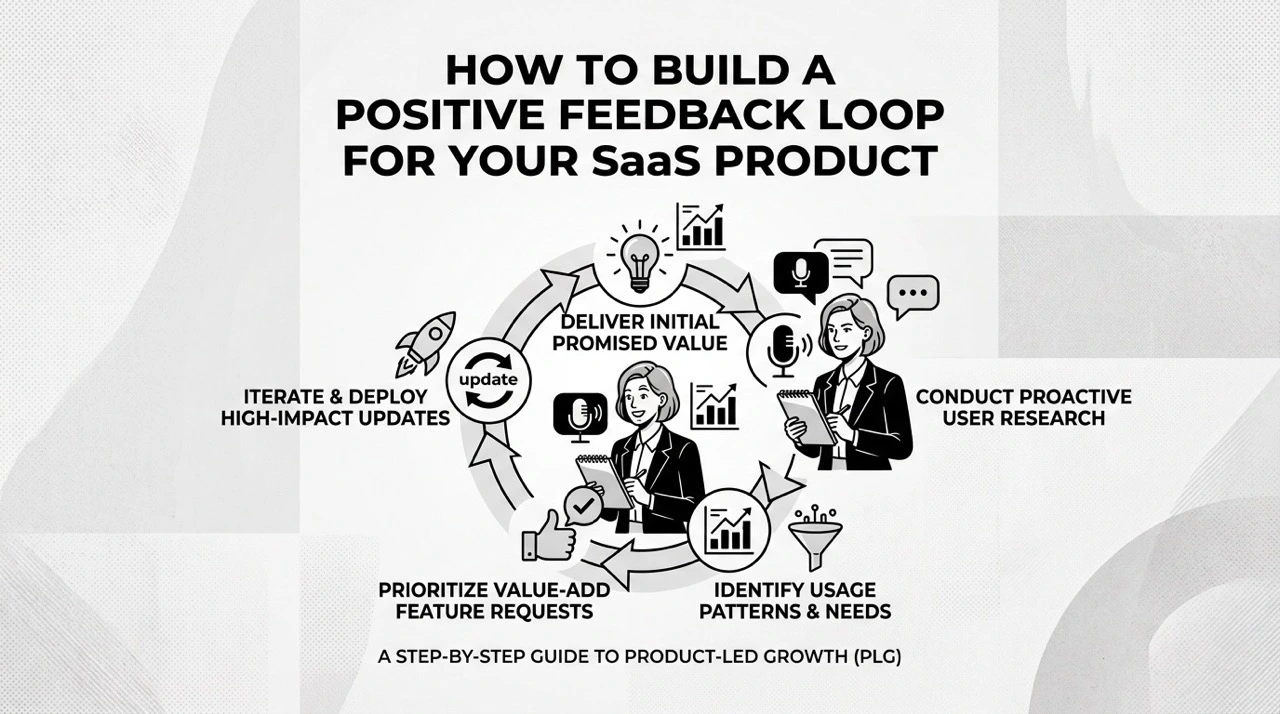
Customer feedback is more than a list of feature requests.
For a SaaS product, a good feedback process can influence what you build, help prioritize your roadmap, and keep users engaged with the product.
A simple feedback loop looks like this:
Feedback → Understand → Prioritize → Build → Release → Get More Feedback
The challenge is turning this idea into an actual product workflow.
1. Start With the Problem, Not the Feature
A feature request is not always the real problem.
For example, a user might tell an AI SaaS product:
"Can you add MCP support?"
You could immediately create a task called "Build MCP Support." But first, understand why they want it.
They might want MCP because they want to:
- connect the product to Claude, ChatGPT, Cursor, or Codex;
- let AI agents access product data;
- automate repetitive workflows;
- avoid switching between different tools.
The underlying problem might actually be:
"I want my AI tools to interact with this product without manually switching between applications."
That distinction matters.
Instead of only asking "What feature does the customer want?", ask "What are they trying to accomplish?"
This gives your team more context when deciding how to solve the problem.
2. Put Feedback in One Place
SaaS feedback often comes from everywhere:
- Customer support
- Slack or Discord
- Reddit and X
- In-app chat
- Feature request boards
If five customers ask for MCP support through five different channels, your team may see five unrelated conversations instead of one product signal.
A centralized feedback system can connect:
Customer → Feedback → Votes → Comments → Product Task → Status → Release
This also makes duplicate requests easier to identify and gives the team a clearer picture of demand.
3. Learn From Companies Already Doing It
Several SaaS companies demonstrate this approach.
Ahrefs has discussed collecting customer feedback from multiple sources, including its Canny feedback board, Reddit, and customer support, to understand customer needs and inform product priorities.
ClickUp takes a more public approach. Its feedback system lets users submit requests, vote, comment, and see progress through statuses such as Future, Planned, Building Now, Beta, and Completed.
The important idea isn't the specific tool they use.
It's that feedback remains connected to the product development process instead of disappearing into a support inbox.
4. Don't Turn Every Feedback Item Directly Into a Task
Feedback and development tasks are not the same thing.
For example:
Feedback
"I need MCP support."
should not automatically become:
Task
"Build MCP server."
A better process is:
Customer feedback
→ "I want MCP support."
Underlying problem
→ "I want AI agents to access and manage my product data."
Product decision
→ "Make product feedback accessible to AI agents."
Development
→ Build authentication, query tools, create/update tools, documentation, and so on.
This connection lets your team understand not only what it built, but why it built it.
5. Make Progress Visible
One of the biggest problems with feedback systems is silence.
A user submits a request and never hears anything back.
A simple status workflow can change that:
Under Review → Planned → In Progress → Completed
Users don't need access to your internal project management system. They just need to know that their feedback was received and what happened to it.
When a requested feature is released, notify the users who asked for it.
The loop then continues:
Request → Build → Release → Use → New Feedback
The new feedback is often just as valuable as the original request because it tells you whether the solution actually worked.
6. Use Changelogs to Close the Loop
A roadmap tells users what you plan to build.
A changelog tells them what you actually built.
For example:
Feedback: "Please add MCP support."
→ Roadmap: MCP Integration — Planned
→ Development: MCP support in progress
→ Release: MCP is now available
→ Changelog: Announce the new MCP capabilities
This creates a traceable path from customer feedback to a real product change.
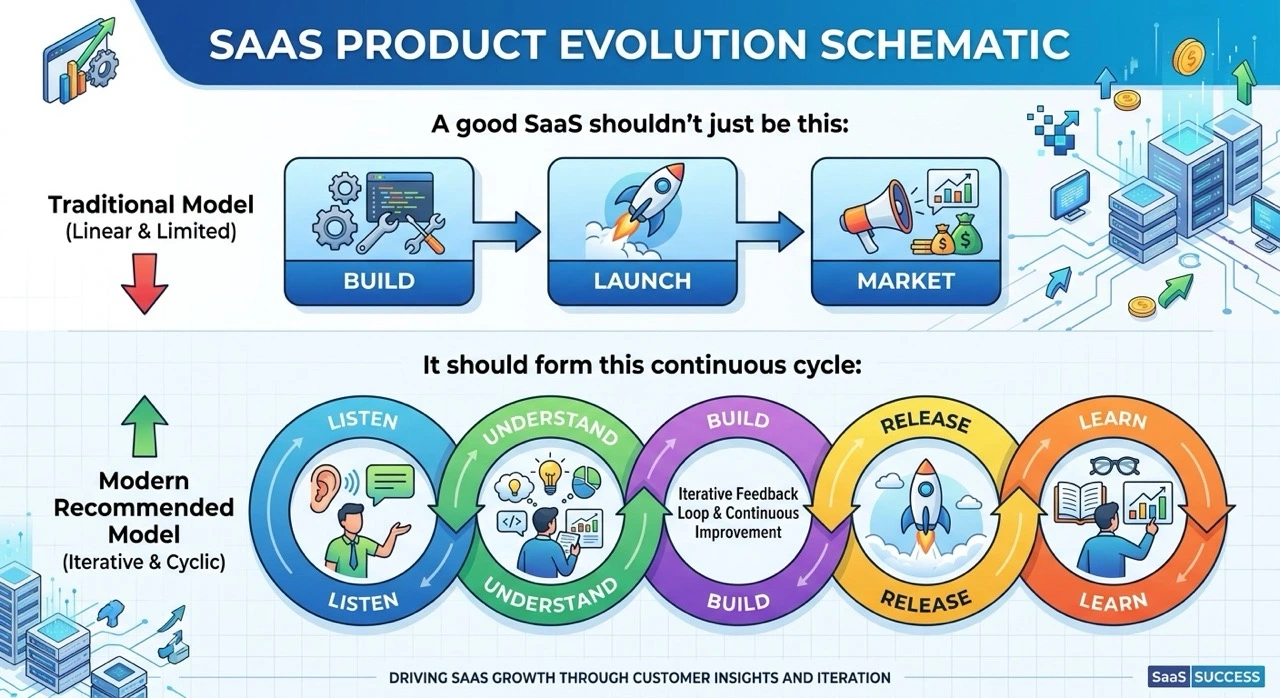
7. Where Suggix Fits
This is the workflow Suggix is built around.
Suggix connects customer feedback with product tasks, roadmap progress, and changelogs.
Instead of treating feedback as another support inbox, you can turn it into part of the product development workflow:
Feedback → Task → Roadmap → Release → Changelog → Feedback
For example, if several users request MCP support, their feedback can be collected in one place, discussed and voted on, and then connected to the development work once the team decides to build it.
After the feature ships, users can be notified and the release can be documented in the changelog.
Suggix also provides an MCP server, allowing AI tools and agents to interact with structured product feedback.
For example, you can ask an AI agent to:
"Find the most requested feature from paying customers."
or:
"Show me all feedback related to MCP."
or:
"Find similar feature requests and group them."
This makes the feedback system useful not only for humans, but also as a source of context for AI-assisted product development.
Conclusion
A positive feedback loop is not simply a feature request board.
It is a process that connects customer problems to product decisions and back to customers.
A practical SaaS feedback loop looks like:
Listen → Understand → Prioritize → Build → Release → Notify → Learn
The goal isn't to collect thousands of requests.
The goal is to make sure useful feedback leads to better product decisions, and that customers can see what happened to the feedback they provided.
That's how feedback becomes more than a collection of requests.
It becomes part of how your SaaS product evolves.
Suggestions Drive Fixes. Fixes Drive Growth.
Build what users love, together
Collect feedback, prioritize features, and keep your roadmap aligned with what actually matters.
Get Started — It’s FreeNo credit card required · 14-day free trial · Setup in minutes